Google November 2026 core update: what to check and what to do
Google's November 2026 core update began on 10 November. What Google has confirmed, when to check your data, and a calm Search Console plan to diagnose and respond.
If you run a business website and your Google traffic has moved since 10 November, this guide is for you. Google is rolling out its November 2026 core update during the busiest shopping weeks of the year. Below we explain what a core update is, what Google has said about this one, and a calm, step-by-step way to check your site and decide what, if anything, to change.
What the November 2026 core update is
A core update is a broad change to the systems Google uses to rank search results. It is not aimed at one type of site or one technique. Google describes these updates as part of its regular work to show relevant, satisfying content from all kinds of sites.
Here is what Google has confirmed on its Search Status Dashboard about this release:
- Start: the rollout began on 10 November 2026.
- Scope: it applies globally and to all languages.
- Duration: Google says the rollout may take up to two weeks to complete. That is a maximum window, so watch the dashboard for the official completion note rather than assuming a date.
Google has not published a detailed explanation of what this specific update changes. That is normal for core updates. Treat any article that claims to know exactly what it targets with caution.
Why rankings move during a core update
Google's own documentation on core updates explains that a drop does not necessarily mean something is wrong with your pages. The systems reassess how content compares with everything else on the web, so pages that were previously under-rewarded can rise, and others can slip as a result. In many cases there is no single error to fix.
This is why panicked, site-wide changes during a rollout often do more harm than good. Rankings can move up and down several times before things settle.
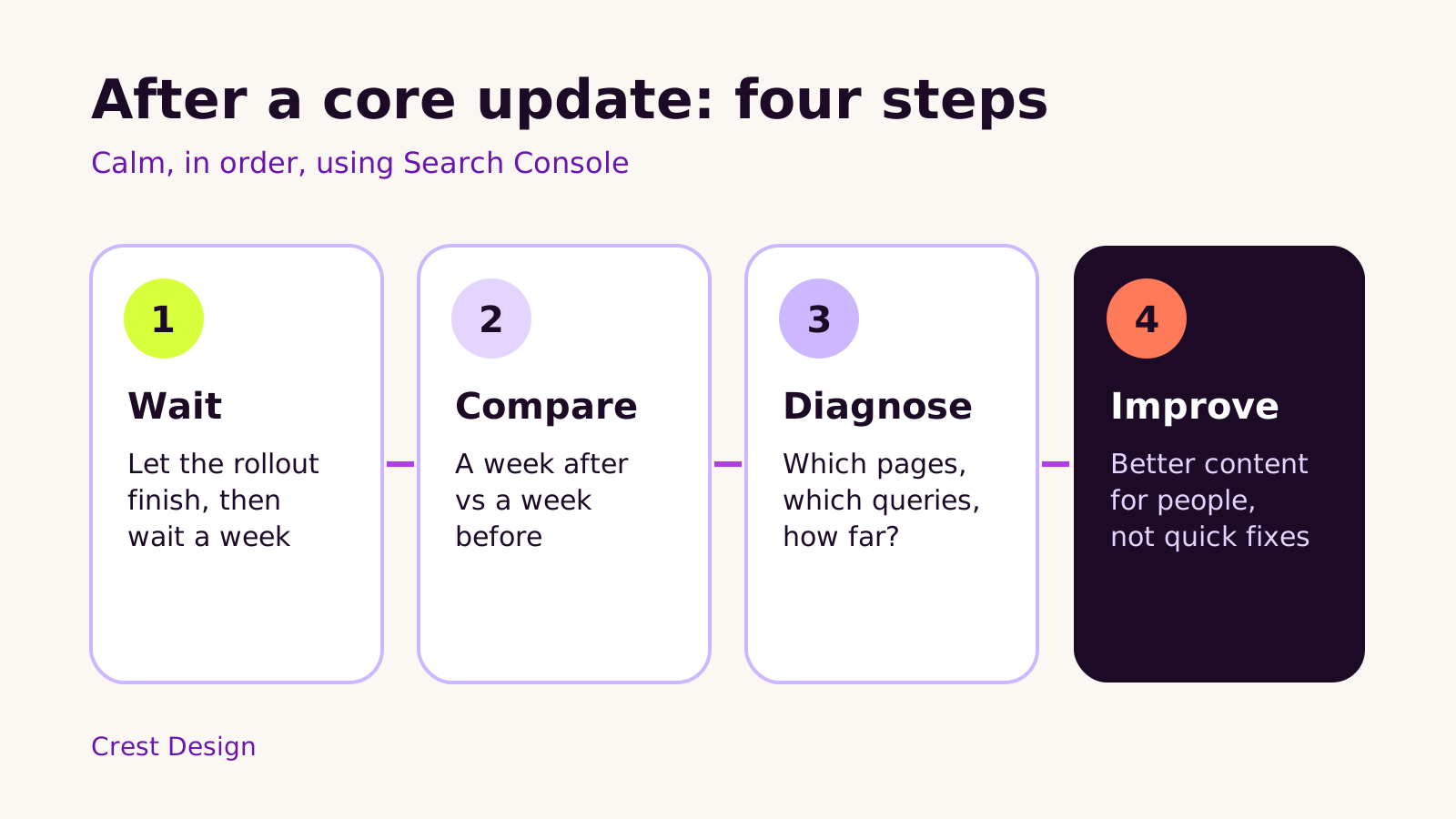
Step 1: wait for the rollout to finish
The most useful thing you can do this week is to avoid reacting too early. Google's guidance is to wait until the rollout is complete before analysing your results, and then to allow at least a full week after completion before drawing conclusions.
While you wait, do some useful groundwork:
- Note the start date in your analytics as an annotation, so you can find it again later.
- Write down any other changes you made recently, such as a redesign, new theme, new plugins or apps, URL changes or a migration. These can affect traffic too, and you want to separate them from the update.
- Remember seasonality. Late November traffic is unusual for many businesses because of Black Friday and Cyber Monday. A change might be the season, not the update.
- Keep publishing and running your site as normal. Pausing everything is not required.
Step 2: compare your Search Console data
Google Search Console is the main tool for this, and it is free. Open the Performance report for search results and set a custom date comparison: the week after the rollout finished against a week before it started.
Then look at the change from a few angles:
- 1 Pages tab: sort by the difference in clicks to see which URLs gained or lost the most.
- 2 Queries tab: check whether the drop is concentrated on a few important search terms or spread across many.
- 3 Average position: see how far pages moved, not just whether clicks changed.
- 4 Search type: Google suggests checking Web, Image, Video and News results separately, because they can behave differently.
It also helps to widen the date range to the longest period Search Console offers. That shows you whether a dip is part of a pattern you see every year at this time.
Step 3: diagnose what kind of change you have
Google's documentation makes a useful distinction. A small slip in position, where a page is still near the top of the results, usually does not need action. A large fall, where a page drops well down or off the first page, is worth a deeper look.
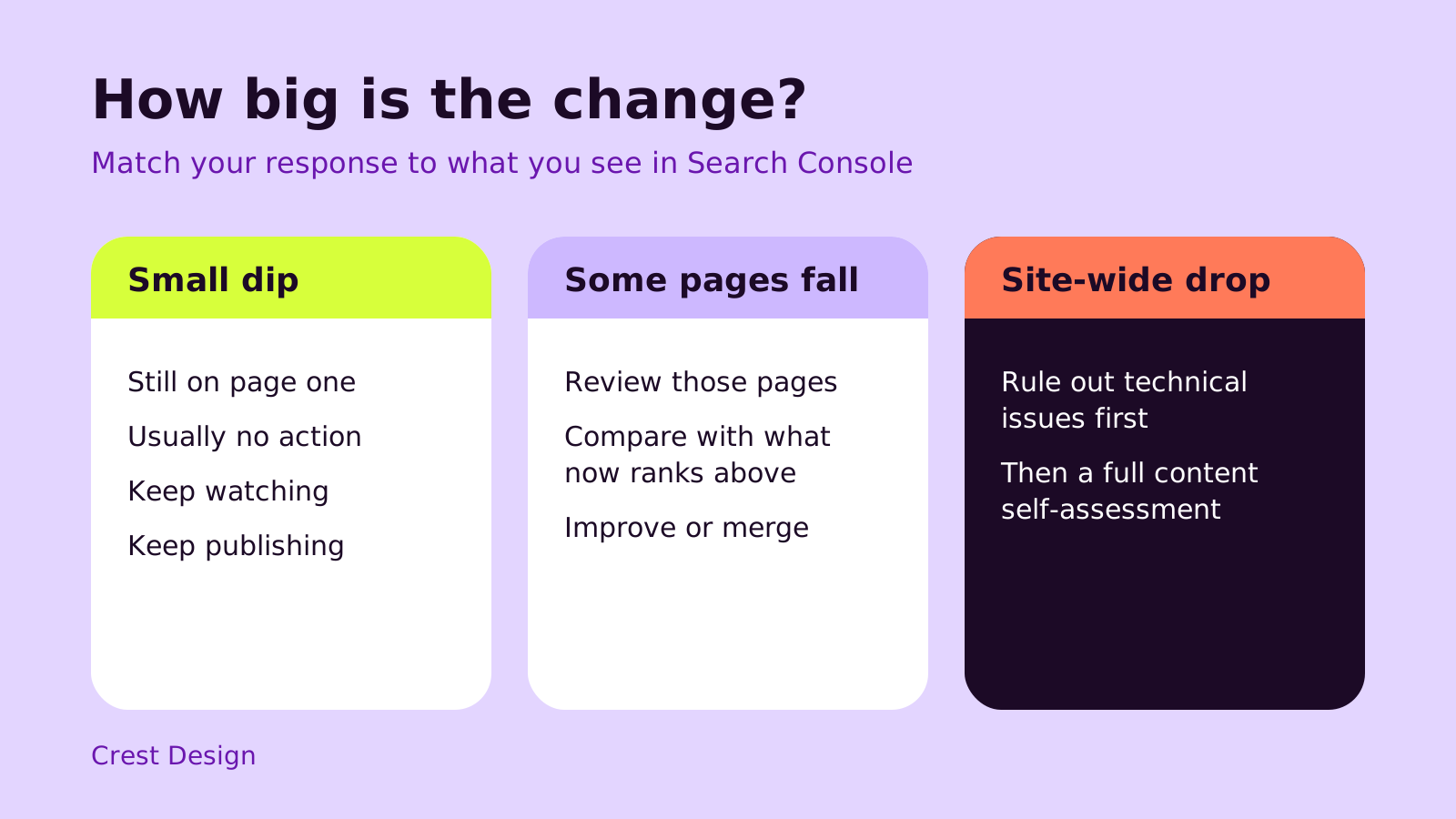
| What you see | What it often means | Sensible next step |
|---|---|---|
| Small position changes, traffic roughly steady | Normal movement | Keep monitoring; no changes needed |
| A group of pages or one section fell | Others may now answer those searches better | Review those pages against what now ranks |
| Traffic fell across the whole site | Could be the update, or a technical problem | Rule out technical issues, then do a content review |
Rule out technical problems first
Before you blame the update, check that nothing broke. Google's guide to debugging traffic drops suggests looking at these Search Console reports:
- Page indexing: are important pages suddenly excluded or showing errors?
- URL Inspection: can Google fetch and render a page that fell?
- Manual actions and Security issues: both should be empty.
- Robots and redirects: confirm a recent change has not blocked pages or sent them somewhere unexpected.
Speed and stability matter for visitors too. If pages are slow on mobile, our Core Web Vitals guide covers what to fix first, and our website design and development service can handle the technical side if you need a hand.
Step 4: improve content for people, not for the update
If the drop is real and technical issues are ruled out, Google's advice is to focus on content quality across the site rather than chasing quick fixes. Its documentation includes self-assessment questions you can use. In plain terms, ask of each page that fell:
- Does it give original, useful information, or does it repeat what other pages already say?
- Is it written by someone who clearly knows the subject, and does the page show that?
- Would a visitor leave satisfied, or need to search again?
- Is the title accurate and helpful rather than exaggerated?
- Is the information still current? Old prices, discontinued products or outdated steps can make a page less helpful.
Practical actions that follow from this include updating stale pages, merging thin pages that cover the same topic, adding real detail from your own experience, and making key information easy to find. If you use AI to draft content, review it carefully before publishing; our post on fact-checking AI content sets out a simple workflow.
Be patient after making improvements. Google notes that some changes can be picked up over time, while others may not show until a later core update. Avoid removing large amounts of content or rewriting everything at once.
What not to do
- Don't buy links or use shortcuts promised to "recover" rankings quickly.
- Don't change URLs or restructure the site in a hurry during the rollout.
- Don't judge success from a single day of data.
- Don't assume every drop is caused by the update; check the season and your own recent changes.
A quick checklist for this month
- Note 10 November 2026 as the start date in your analytics.
- Watch the Google Search Status Dashboard for the completion notice.
- Wait at least a week after completion, then compare a week after with a week before.
- Check pages, queries, position and search type in Search Console.
- Rule out indexing, crawling and security problems.
- Review pages that fell for usefulness, accuracy and freshness.
- Make steady improvements and keep monitoring over the coming months.
Core updates are a routine part of running a website, and a careful, evidence-led response is usually the right one. If you would like a second pair of eyes on your Search Console reports, Crest Design is happy to help.
(over to you)
Planning a build like this?
Tell us what you're building and we'll come back with ideas and next steps.