HubSpot app cards: rebuild retired CRM cards before December 1
HubSpot removed legacy CRM cards from record views in November 2026. How HubSpot app cards work, the React and config code to rebuild one, and how to migrate views before the tool closes on December 1, 2026.
If a custom card vanished from your HubSpot records in early November 2026, it was a legacy CRM card, and HubSpot has retired them. The replacement is an app card, and your developer has until December 1, 2026 to swap it into your existing record views automatically.
Legacy cards worked by HubSpot calling your web address and drawing the reply in a fixed layout. App cards are small React components in a developer project. They run inside HubSpot and fetch plain data from your API through hubspot dot fetch, and every domain they call must be listed in the app's config.
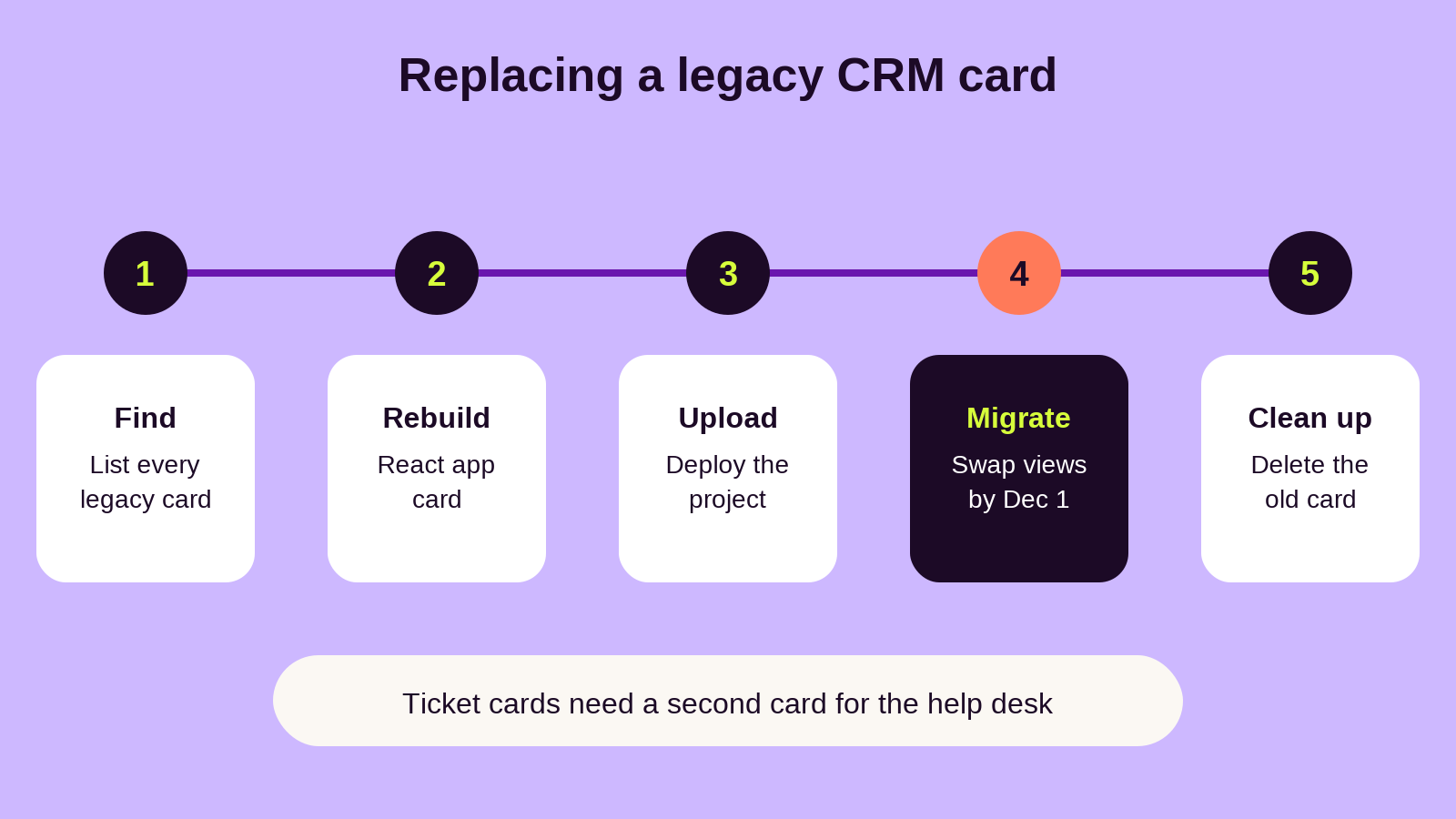
The steps are simple. Find every legacy card and who owns the developer account. Rebuild each one like for like. Upload the project and test it. Then use the migration banner or the migrate views API before December 1, and delete the old card. Ticket cards need a second card for the help desk.
Common problems are blocked requests from a missing permitted URL, native fetch calls, and missing help desk cards.
Start by listing your cards this week, and bring in a HubSpot developer if the card was built just for your portal.
If a panel on your HubSpot contact, deal or ticket records went blank in early November, this post is for you. It explains why, how HubSpot app cards replace the old CRM cards, and what your developer needs to do before December 1, 2026, when HubSpot closes the tool that swaps the new card into your existing record views.
Why a card disappeared from your HubSpot records
Lots of businesses have a custom card on their CRM records: order history pulled from the online store, a subscription status from billing, a support summary, a "create quote" button. Many were built years ago by an agency or a software vendor using HubSpot's classic CRM card feature, and nobody has touched them since.
HubSpot announced the end of those classic (legacy) CRM cards well in advance, with a deadline of October 31, 2026. Its migration guide now says legacy cards are removed from customer views on November 2, 2026, and that the migration screen and the migrate views API stop working after December 1, 2026. So in November 2026 two things are true at once: the old card has gone, and there's a short window left to bring a replacement back into the same place on every record view without asking users to re-add it.
If the card came from a marketplace app you install, the vendor owns the fix. If it came from an app built for your portal alone, someone on your side has to rebuild it.
How HubSpot app cards differ from legacy CRM cards
The two systems work the other way round, and that's why this is a rebuild rather than a settings change.
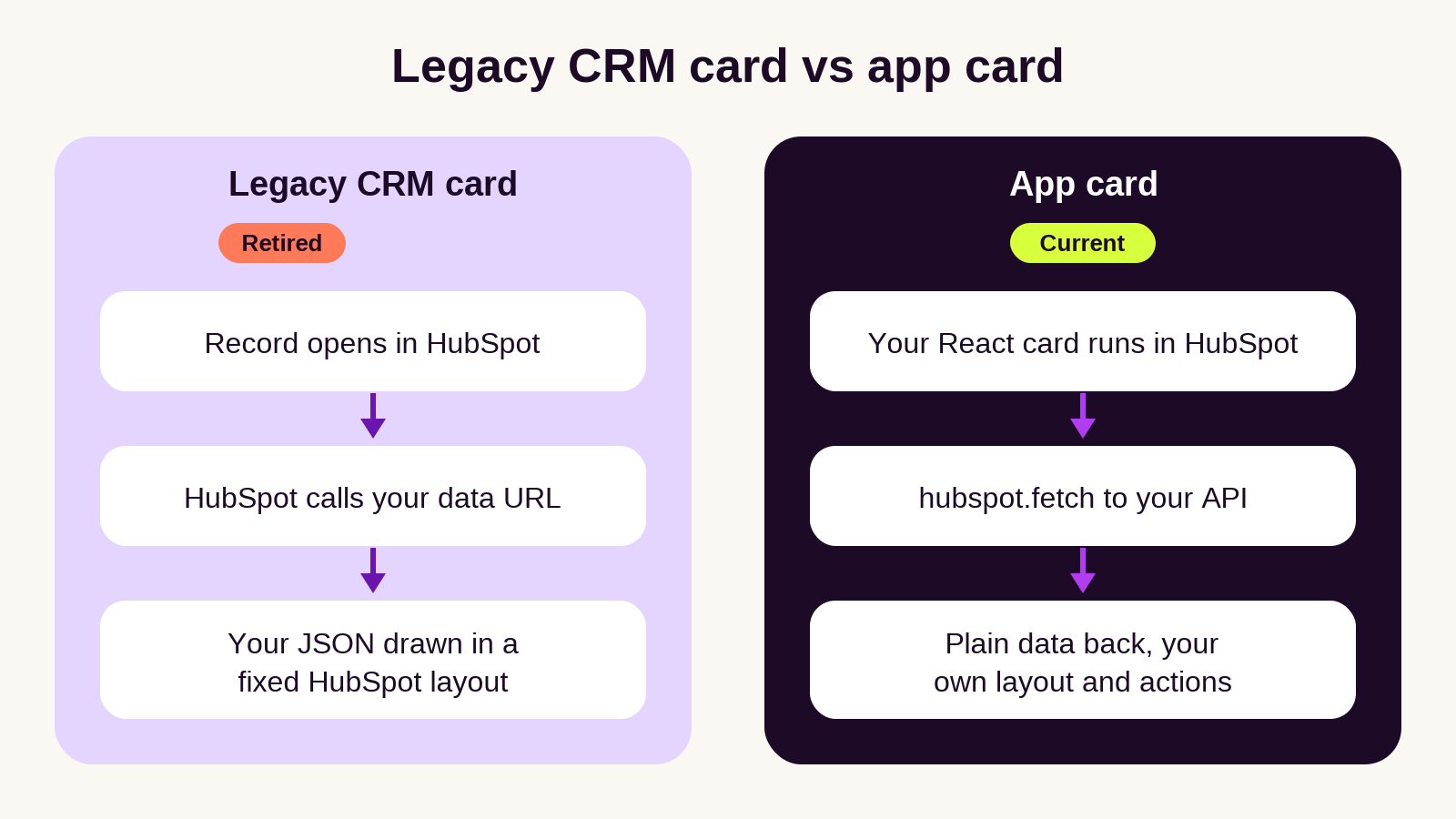
A legacy CRM card was mostly configuration. You gave HubSpot a data URL. Each time someone opened a record, HubSpot called that URL with a few record properties, your server replied with JSON in a fixed format, and HubSpot drew it in its own standard layout. Your code never ran inside HubSpot.
An app card is a small React component that lives in a developer project. HubSpot hosts and runs it in a sandbox on the record page. When the card needs outside data, it calls your API through hubspot.fetch(), and your server returns plain data, not layout instructions. The card decides how to show it, using HubSpot's UI components, and can include forms, buttons and actions.
That has three practical effects:
- Your back end changes shape. The endpoint that used to return card JSON should now return just the data the card needs.
-
Every external domain the card calls must be listed in the app's config. Browser
fetchand XMLHttpRequest are blocked inside cards. - Location is explicit. You choose whether a card sits in the record's middle column, the right sidebar or the help desk, and on which object types.
How to rebuild a legacy card as an app card
This is the order we follow on most projects.
- 1 Find every legacy card. In the developer account that owns the app, open the app and look at its CRM card settings. Note each card's ID, which objects it showed on, what data it displayed and any action buttons. If you no longer have access to that account, sort that out first, because only the app owner can run the migration.
-
2
Create or update a project. App cards live in a project on HubSpot's current developer platform, built and uploaded with the HubSpot CLI (
hs project create, thenhs project upload). Each card is a JSON config file plus a React file insidesrc/app/cards/. - 3 Rebuild the card and its data endpoint. Keep the first version close to the original. Users know where things are, and a like-for-like card makes the swap quiet.
- 4 Upload and test on a test account with real-looking records, including records where your back end has no data.
-
5
Migrate views. In the developer account, the migration banner on the app offers Review & migrate. Your developer can also call the migrate views endpoint with the app ID, the
legacyCrmCardIdand the newappCardId. Do this before December 1, 2026. - 6 Delete the legacy card once the migration has finished.
A minimal app card that loads data from your API
Here's a card config, saved as src/app/cards/order-summary-hsmeta.json. Change the name, objects and location to match the card you're replacing.
{
  "uid": "order_summary_card",
  "type": "card",
  "config": {
    "name": "Order summary",
    "location": "crm.record.tab",
    "entrypoint": "/app/cards/OrderSummary.jsx",
    "objectTypes": ["contacts"]
  }
}
And the React file next to it, OrderSummary.jsx. Replace the API address with your own.
import React, { useEffect, useState } from "react";
import { hubspot, Text, LoadingSpinner, ErrorState } from "@hubspot/ui-extensions";

hubspot.extend(({ context }) => <OrderSummary context={context} />);

const OrderSummary = ({ context }) => {
  const [data, setData] = useState(null);
  const [failed, setFailed] = useState(false);
  const contactId = context.crm.objectId;

  useEffect(() => {
    hubspot
      .fetch(`https://api.example.com/orders/summary?contactId=${contactId}`, { method: "GET" })
      .then((res) => {
        if (!res.ok) throw new Error(`Status ${res.status}`);
        return res.json();
      })
      .then(setData)
      .catch(() => setFailed(true));
  }, [contactId]);

  if (failed) {
    return <ErrorState title="Orders could not load"><Text>Try again in a moment.</Text></ErrorState>;
  }
  if (!data) return <LoadingSpinner label="Loading orders" />;
  return <Text>Last order: {data.lastOrderDate ?? "No orders yet"}</Text>;
};
Finally, list the domain in the app's own config file (app-hsmeta.json) under permittedUrls, for example "permittedUrls": { "fetch": ["https://api.example.com"] }, then upload the project again. HubSpot signs these requests, so have your back end check the signature rather than trusting any caller.
What we've learned from card migrations
Rebuilds look small, and the code usually is. The time goes into the bits around it: finding who owns the developer account, working out what the old endpoint actually returned, and checking every object the card appeared on.
A few recommendations:
- Don't redesign during the swap. Rebuild like for like, migrate views, then improve. Mixing the two makes it hard to tell a migration bug from a design change.
-
Consolidate on purpose. If several legacy cards showed similar data, one app card can replace them. The migrate API blocks that by default; set
allowDuplicateAppCardIdsto true only when you mean it. - Remember sidebar limits. Sidebar cards can't use HubSpot's CRM data components, so cards that summarise associated records often belong in the middle column.
- Fix authentication at the same time. If the old app also used a legacy private app token, plan both changes together. Our guide to replacing legacy private app integrations with service keys covers that side, and the HubSpot legacy API and app deadlines for 2027 shows what's coming next.
Troubleshooting
| Symptom | Likely cause | Fix |
|---|---|---|
Card shows the error state; the app's monitoring page logs a 403 for hubspot.fetch |
The API domain isn't in permittedUrls, or the config change wasn't uploaded |
Add the full HTTPS domain under fetch and run hs project upload again |
Build or lint fails on a fetch() call |
Native HTTP calls are blocked in UI extensions | Switch to hubspot.fetch() with an absolute URL |
| New card missing on tickets in the help desk | Only a crm.record.sidebar card was built |
Add a helpdesk.sidebar card and include it in the view migration |
| Users see the old and new card together | Normal during the transition | Finish the migration, then delete the legacy card |
| Migrate request is rejected | The appCardId is already linked to another legacy card's migration |
Use a separate app card, or set allowDuplicateAppCardIds if consolidating |
| Card never appears on a custom object | Missing crm.objects.custom.read scope or wrong object name |
Add the scope and use the custom object's p_ name in objectTypes |
Questions people ask
Can we get the old card back?
No. Legacy CRM cards are retired, so the way back is an app card. If it's rebuilt and migrated before December 1, 2026, it lands in the same place in your users' record views.
What happens if we miss December 1?
You can still build and install an app card afterwards. You'd lose the migration tool, though, so plan on adding the card back to record views by hand, which takes longer on portals with many custom views.
Do we need a HubSpot developer for this?
For a portal-specific card, usually yes: it needs a developer project, React and a back end that HubSpot can call. A marketplace app should be updated by its vendor, so check with them first.
Why this matters for your sales and service teams
These cards are often the only place your team sees store, billing or support data without switching tools. When one disappears, people start asking customers questions the business already knows the answer to. Rebuilding it as a HubSpot app card puts that context back and gives you a component you can extend later, such as an action button or a form. If the card's back end is a custom integration, it's a good moment to review that too; our post on Node.js integrations between Shopify, HubSpot and your CRM explains how we build those to stay reliable.
Quick checklist:
- List every legacy card, its objects and its data source.
- Confirm who controls the developer account.
- Rebuild each card like for like, with a second card for the help desk where needed.
-
Add API domains to
permittedUrlsand verify request signatures. - Migrate views before December 1, 2026, then delete the legacy cards.
If you'd like help rebuilding a card or the integration behind it, our HubSpot CMS and app development team can take it on, or you can tell us about your portal.
(over to you)
Planning a build like this?
Tell us what you're building and we'll come back with ideas and next steps.