Node.js integrations that keep Shopify, HubSpot and your CRM in sync: when to go custom over Zapier, how to build it reliably, and what it costs to run.
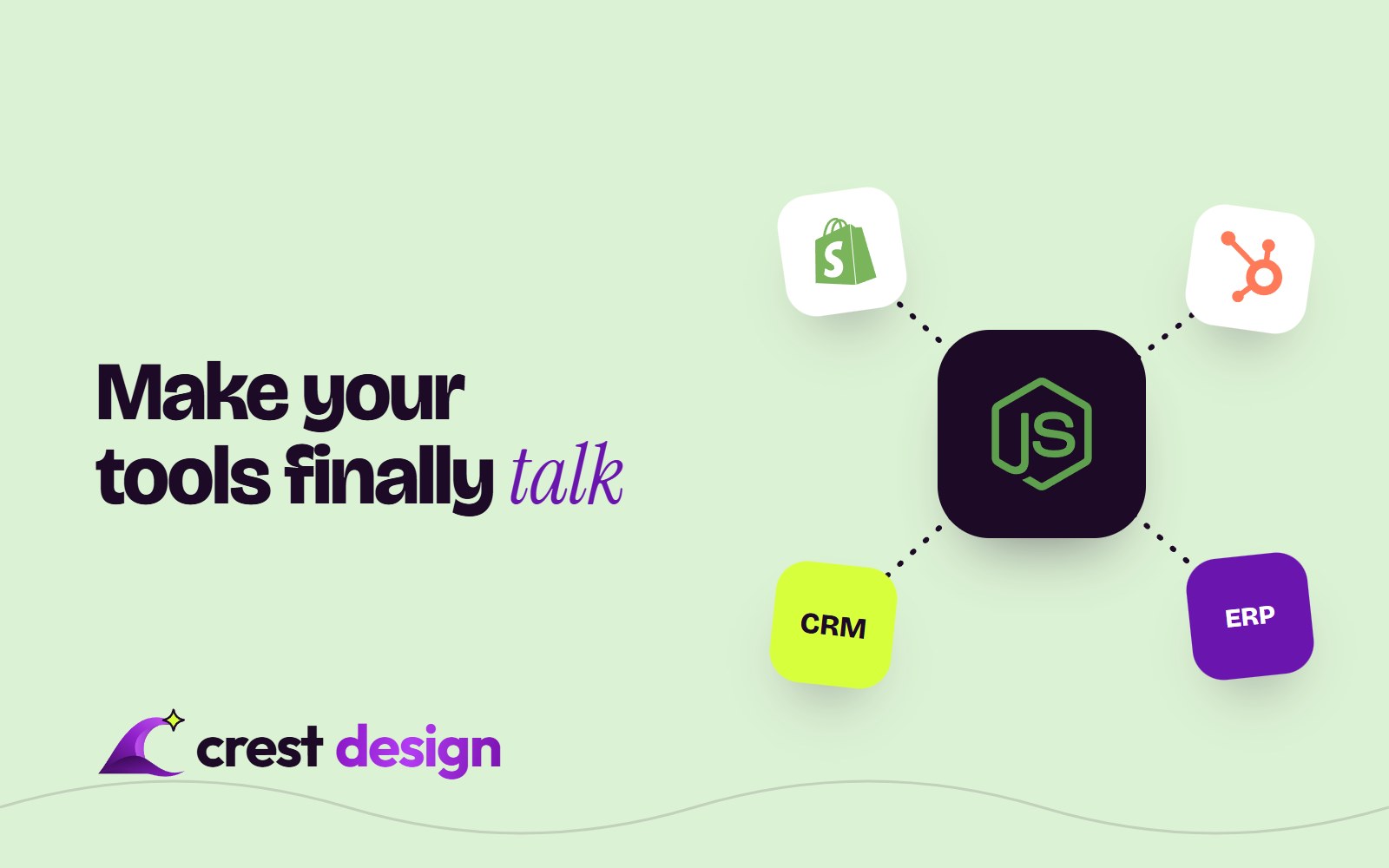
Your orders live in Shopify, your contacts and deals live in HubSpot, and someone on your team copies data between them by hand every Monday. Node.js integrations fix that by giving your tools a small, reliable service in the middle that listens for changes, translates the data and passes it on. This guide explains, in plain words, when that service is worth building, how a good one is put together, and what it costs to run.
What a Node.js integration actually does
Most integration work comes down to three jobs: notice that something happened, reshape the data, and write it somewhere else without losing or duplicating anything. A typical example: a customer places an order in Shopify, the integration finds or creates the matching contact in HubSpot, attaches the order as a deal or custom object, updates lifetime value, and tells the warehouse system to ship.
Node.js suits this work well. It handles many small network calls at once, both Shopify and HubSpot publish official Node.js libraries, and JSON (the format every modern API speaks) is native to JavaScript. Our Node.js development team builds these services as small, focused back ends rather than big applications.
What has changed on the platforms in 2026
If you last looked at these APIs a few years ago, some of the ground has moved. Here is what is current as of October 2026.
Node.js itself
Node.js 24 ("Krypton") is the Long-Term Support line most production services should run today, and Node.js 22 is still supported. Node.js 26 was scheduled to move to LTS at the end of October 2026. From Node.js 27 the project switches to one major release a year. The practical point: an integration should run on an LTS version and be upgraded on a schedule, not left on whatever version it launched with.
Shopify: GraphQL first
Shopify has treated its REST Admin API as legacy since October 2024, and since April 2025 new public apps in the Shopify App Store must use the GraphQL Admin API only. Existing private and custom integrations built on REST still work, but new features increasingly arrive in GraphQL only. Any new integration should be written against GraphQL from day one.
Shopify webhooks also come with clear rules: per Shopify's documentation at the time of writing, your endpoint must respond within five seconds, failed deliveries are retried up to eight times over four hours, and a subscription that keeps failing is removed. Shopify does not guarantee the order of events, and says delivery is not always guaranteed, so it recommends periodic reconciliation jobs. We come back to why that matters below.
HubSpot: from private apps to the developer platform
For years, the standard way to connect a single HubSpot account to your own code was a private app with an access token. HubSpot is retiring the creation of new legacy private apps: new accounts lost the option on 28 September 2026 and existing accounts were scheduled to lose it on 26 October 2026. Existing legacy private apps keep working. For new system-to-system integrations, HubSpot points to Service Keys (part of its developer platform projects, version 2026.09 or later), which add scoped permissions, activity logging and key rotation. Integrations that need webhooks are built as apps on the developer platform.
HubSpot's API limits matter for planning too. At the time of writing (October 2026), private apps on Professional and Enterprise get 190 requests per 10 seconds, with a daily allowance of 625,000 (Professional) or 1,000,000 (Enterprise) calls per account, shared across all apps. A careless sync that loops over every contact can hit that ceiling.
When a custom service beats Zapier or Make
No-code tools are excellent, and we often recommend them first. If you are still working out which processes to automate, start with our list of five workflow automations to set up first. A custom Node.js service starts to make sense when:
- Volume makes task pricing painful. Thousands of orders or contact updates a day can push a per-task plan into a bill that would pay for a small server many times over.
- The logic has outgrown the canvas. Twenty-step zaps with filters, paths and lookups become hard to test and easy to break.
- You need guarantees. No duplicates, no silent failures, and a record of what happened to every event.
- A system has no ready-made connector. Regional payment gateways, logistics partners, ERPs and in-house product databases often need custom code.
- Data shouldn't pass through another vendor. Some teams prefer customer data to flow only between systems they already trust.
The honest counterpoint: a custom service is software you own. It needs hosting, monitoring and the occasional update when an API version changes. If your flows are simple and low-volume, Zapier or Make is the cheaper answer.
| FactorZapier or MakeCustom Node.js service | ||
|---|---|---|
| Set-up time | Hours to days | Typically two to six weeks |
| Running cost | Grows with task volume | Mostly fixed hosting, plus maintenance |
| Complex logic | Gets fragile | Tested in code |
| Error handling | Basic retries and alerts | Whatever you design |
| Ownership | Vendor platform | Your code, your hosting |
How a reliable integration is built, in plain words
Webhooks: be told, don't keep asking
Instead of checking Shopify every minute for new orders, the integration registers a webhook, so Shopify calls it when an order is created. This is faster and uses far fewer API calls than polling.
Queues: answer fast, work later
Because Shopify gives you five seconds, the endpoint should only check the request is genuine, store the event in a queue and reply "received". A separate worker then does the slow part: calling HubSpot, the CRM or the shipping partner. If HubSpot is slow that afternoon, events wait in the queue instead of being lost.
Retries with back-off
APIs fail briefly all the time: rate limits, timeouts, maintenance. A good worker retries with increasing gaps between attempts, and after a set number of failures moves the event to a "dead letter" list for a person to review.
Idempotency: safe to run twice
Webhooks can arrive more than once and out of order. Shopify includes a webhook ID header you can use to ignore duplicates, and a timestamp to tell which update is newest. The integration records what it has already processed, so a repeated "order created" never makes a second deal in HubSpot.
Reconciliation: trust, then verify
A scheduled job, nightly or hourly, compares recent records in both systems and fixes anything a missed webhook left behind. In our experience, this is the step most quick integrations skip, and the reason many of them drift out of sync after a few months.
Logging you can read
Every event should leave a trail: received, processed, retried, failed, and why. When sales asks "why isn't this customer in HubSpot?", someone should be able to answer in minutes, not days.
Security basics
- Verify every webhook. Shopify signs deliveries with an HMAC header and HubSpot signs its requests too; reject anything that doesn't match.
- Least-privilege access. Request only the API scopes the integration needs, whether that's a Shopify custom app or a HubSpot Service Key.
- Keep secrets out of code. Tokens belong in a secrets manager or environment variables, with a plan to rotate them.
- Store as little personal data as possible. Pass data through rather than copying whole customer records into another database.
What it costs to run
For most small and mid-sized businesses, running costs are modest. A managed container or serverless set-up, a hosted queue, a small database and log storage typically come to somewhere between tens and a few hundred US dollars a month, depending on volume and provider. The bigger line items are the build itself and ongoing care: API version upgrades, Node.js upgrades and the occasional new field. Budget a small monthly retainer or a few hours per quarter for that.
Examples from our work
For an Indian ethnic wear label, our team connected the Shopify store to a payment gateway and a logistics partner, with custom product fields carrying the data both sides needed. For a mobile app security company, we built a HubSpot website connected to the product back end. Both are the same pattern at different scales: systems that need to agree on the same facts. Broader connected-website work sits within our Digital service, and integrations that include AI routing or chatbots sit within AI & Automation.
Frequently asked questions
Can Shopify and HubSpot connect without custom code?
Yes. HubSpot's own Shopify integration and tools such as Zapier or Make cover common needs like syncing contacts and orders. Custom code becomes worthwhile when you need custom objects, unusual mapping, other systems in the loop, or guarantees about duplicates and failures.
Which Node.js version should an integration use in 2026?
An LTS version. Today that means Node.js 24, with Node.js 26 scheduled to become LTS at the end of October 2026. Avoid running production integrations on Current releases or end-of-life versions such as Node.js 20.
Do existing HubSpot private apps stop working?
No. HubSpot has said existing legacy private apps continue to work; only the creation of new ones is being switched off. New integrations should use Service Keys or a developer platform app.
If your tools don't talk to each other and the manual work is growing, tell us which systems you use and where the data gets stuck. We'll tell you honestly whether a no-code flow or a custom Node.js service is the better fit.
(over to you)
Planning a build like this?
Tell us what you're building and we'll come back with ideas and next steps.