Website ownership when you hire an agency: what you should own
A practical website ownership guide for hiring an agency: which domain, hosting, code and data accounts to keep in your name, how agencies get access, and a launch handover checklist.
If you're about to hire an agency or freelancer to build your website or online store, settle website ownership before any work starts. This guide is for business owners who want to know exactly which accounts, files and logins should stay in the company's name, how agencies can get the access they need without holding the keys, and what a clean handover looks like on Shopify, WordPress, Webflow and HubSpot.
Most ownership problems aren't caused by bad intent. They happen because someone set up the domain on a personal card years ago, or the developer created the hosting account "to save time", and nobody wrote it down. Fixing that later is slow and stressful. Setting it up properly at kickoff takes an afternoon.
What website ownership actually covers
When people say "we own our website", they usually mean they paid for it. That isn't the same as controlling it. In practice, website ownership comes down to four layers, and you want your business to be the account owner on every one of them.
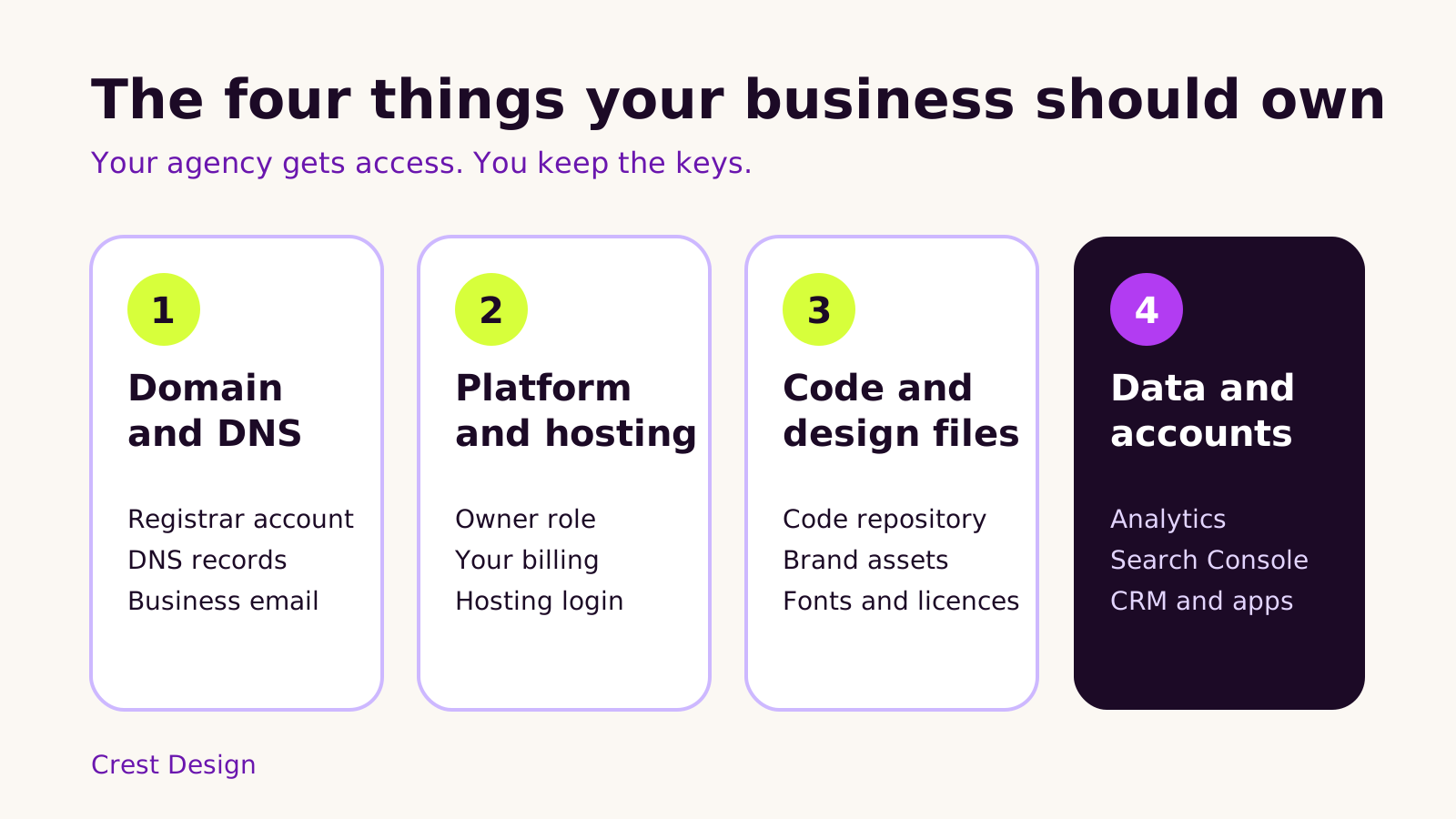
1. Domain and DNS
The domain is the one asset you can't easily replace. It should be registered in your company's name, in a registrar account your business controls, with a company email address (not a staff member's personal inbox) as the contact. DNS can live at the registrar or at a service like Cloudflare, but again, the account should be yours. Your agency can be added as a user, or you can share access for the project and change the password afterwards.
Don't forget business email. If your email runs through Google Workspace or Microsoft 365, the admin account should also sit with the business, because DNS changes during a launch can affect mail delivery.
2. Platform and hosting
This is the store, the CMS or the server the site runs on. On hosted platforms such as Shopify, Webflow and HubSpot, it means your business is the owner of the store, site or portal, and the subscription is billed to you. On WordPress, Magento or a custom Next.js or Node.js build, it means the hosting account is in your name and you hold an administrator login for the site itself.
3. Code and design files
For custom themes and apps, ask for the code to live in a Git repository (GitHub, GitLab or Bitbucket) under an organization your business owns, with the agency added as members. Design files in tools like Figma should sit in a team or project you control, or be handed over at the end. Paid fonts, stock images, premium themes and plugin licences should be bought in your name where the licence allows it.
4. Data and marketing accounts
Google Analytics, Google Search Console, Google Tag Manager, ad accounts, your CRM, email marketing tools and any paid apps all hold data your business depends on. Each one should have your company as the owner, with the agency invited as a user.
How agencies should get access (without owning anything)
Every major platform has a way to give an outside team access without handing over ownership. Using those built-in roles is better than sharing your own password, because each person gets their own login, actions are traceable, and you can remove access in one click.
| Platform | How the agency gets in | What to watch |
|---|---|---|
| Shopify | A collaborator request or a staff account with set permissions. If the agency built the store in its Partner account, it transfers ownership to you from Settings > Users. | Shopify's Partner docs suggest transferring ownership before moving to a paid plan, and the transfer needs any Shopify financial products switched off first. |
| WordPress | Its own user account with the Administrator or Editor role, plus a separate hosting login if needed. | Keep your own Administrator account, and remove or downgrade agency users after handover. |
| Webflow | The agency builds in its Workspace and transfers the site, with its site plan, to your Workspace from Site settings > Billing. | After transfer, the agency can only edit if you add it to your Workspace. |
| HubSpot | A user in your portal with only the permissions the project needs. | Keep at least one Super Admin seat with someone at your company. |
| Google Search Console | Added as a user from Settings > Users and permissions. | Make sure someone in your business is a verified owner, not just a delegated one. |
The Search Console point catches a lot of teams out. Google requires every property to have at least one verified owner; if the only verified owner was a developer who has since moved on, the rest of the users can lose access. Verifying a company account as an owner fixes that.
Contract points to agree before you hire an agency
Access and accounts are the practical side. The contract is where you agree who owns what you've paid for. These are the questions we'd want answered in any proposal, ours included:
- Who owns the finished work? Ask how rights to custom code, designs and content pass to you, and when (often on final payment).
- What stays with the agency? Many agencies reuse their own starter themes, components or internal tools. That's normal, but you should get a licence to keep using whatever ends up in your site.
- Which third-party items are licensed, and to whom? Premium themes, plugins, fonts and photos each have their own terms.
- What is handed over at the end? Repository access, design files, a list of accounts and integrations, and any documentation.
- What happens if you part ways mid-project? You should still receive the work completed so far and full access to your accounts.
Intellectual property terms vary, so have a qualified adviser review the contract wording for your situation. The aim here isn't to win an argument with your agency; it's to make sure nobody has to guess later.
A website handover checklist for launch day
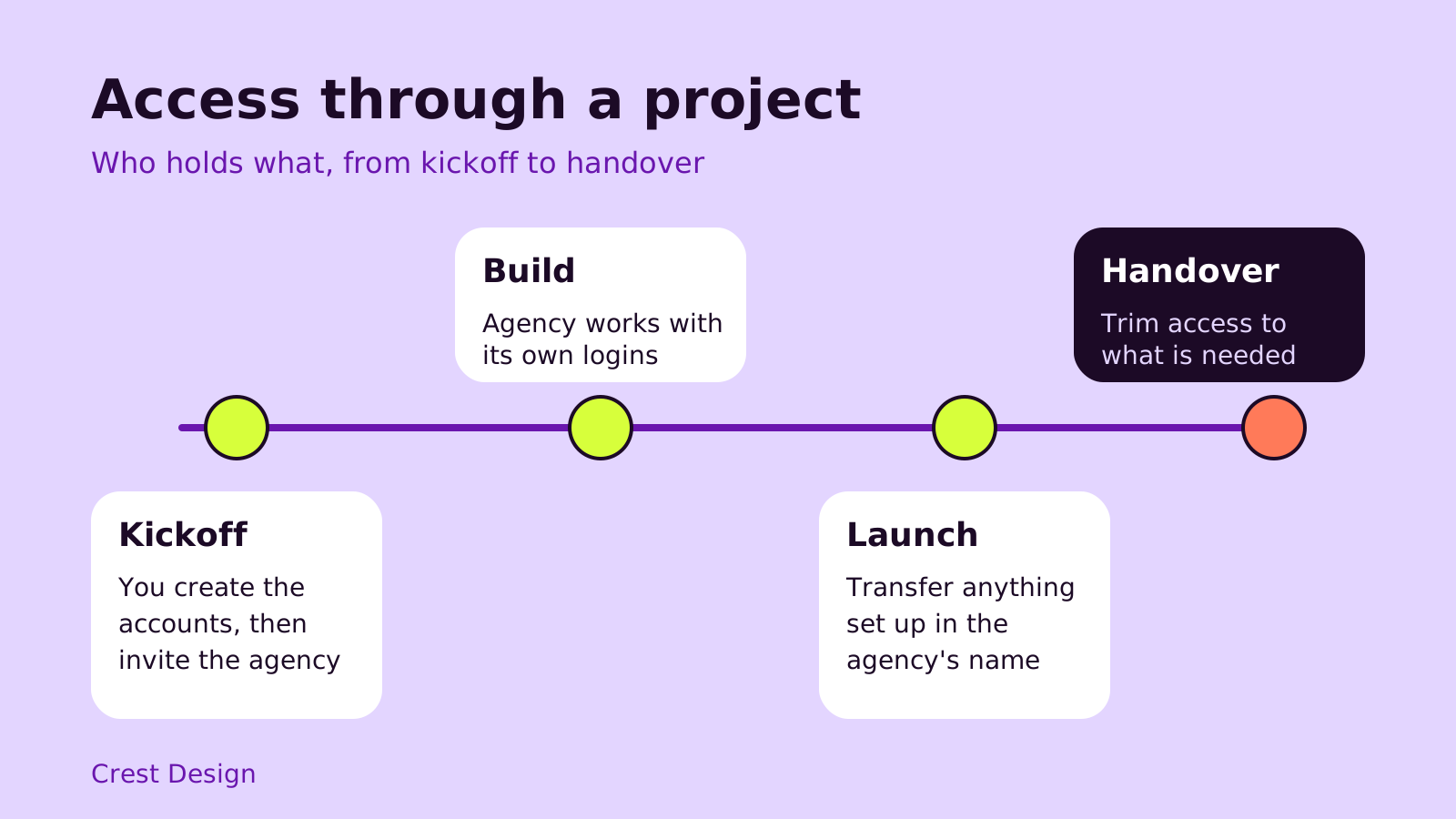
When the site goes live, run through this list with your agency. If the kickoff was set up properly, it is a short review rather than a rescue job.
- 1 Confirm your business is the owner of the domain, the platform account and the hosting, and that billing is on your company card.
- 2 Log in yourself, with your own account, to the store or CMS, the hosting panel, the registrar and Search Console.
- 3 Check the code repository and design files are in your organization or have been transferred.
- 4 Review every user on each platform. Remove people who no longer need access and downgrade the agency to the level ongoing support needs.
- 5 Collect a short access document: which services the site uses, who owns each account, and where the logins are kept (a company password manager works well).
- 6 List the apps, plugins and integrations, with who pays for each one. Our guide to auditing your Shopify apps shows the kind of detail worth recording.
- 7 Turn on two-factor authentication for owner accounts. The website security checklist for small businesses covers the rest of the basics.
Questions people ask
Is it a red flag if an agency wants to register the domain for me?
Not always; some agencies offer it as a convenience. But we'd still ask for the domain to be registered in your company's name and in an account you can log in to. If that isn't possible, ask how and when it will be transferred to you.
Should my agency have the owner role on my Shopify store?
No. The agency should work as a collaborator or staff account. If it built the store in its Partner account, ownership should be transferred to your business before the store goes on a paid plan, in line with Shopify's Partner docs.
We're moving platforms. Does ownership change?
A migration is a good moment to fix ownership, because new accounts are being created anyway. Set up the new platform in your company's name from day one. If you're moving to Webflow, our Webflow migration plan that protects your SEO covers the redirects and launch checks too.
Which platform makes ownership simplest?
Each one handles it well once it's set up correctly; the difference is mostly in how transfers work. If you're still choosing, our comparison of HubSpot, Shopify, Webflow and WordPress looks at the wider trade-offs.
Summary
- Your business should own the domain, the platform and hosting, the code and design files, and the data accounts.
- Agencies get their own logins through each platform's user roles, never your password.
- Anything set up in the agency's name should move to yours at launch, not "later".
- Agree ownership of the finished work in the contract, and have it reviewed.
- Finish with a handover review of users, logins and licences.
If you'd like a team that sets projects up this way from the first call, take a look at our website and e-commerce development services or tell us about your project.
(over to you)
Planning a build like this?
Tell us what you're building and we'll come back with ideas and next steps.