Figma Motion handoff: getting website animation built right
A practical Figma Motion handoff guide: what the November 2026 spring, Lottie preview and 3D transform updates change, how to turn motion styles into CSS or React, and fixes for common animation problems.
Animation that looks right in Figma often feels wrong on the live site. This guide shows how to make the Figma Motion handoff work, so the motion your designer approved is the motion your visitors see.
In November 2026 Figma Motion added physics-based springs set by mass, stiffness and damping, previews of how an animation will play as a Lottie file, and a 3D transform effect in open beta. Those features make motion easier to specify, but they also make it easier to design something the browser has to approximate.
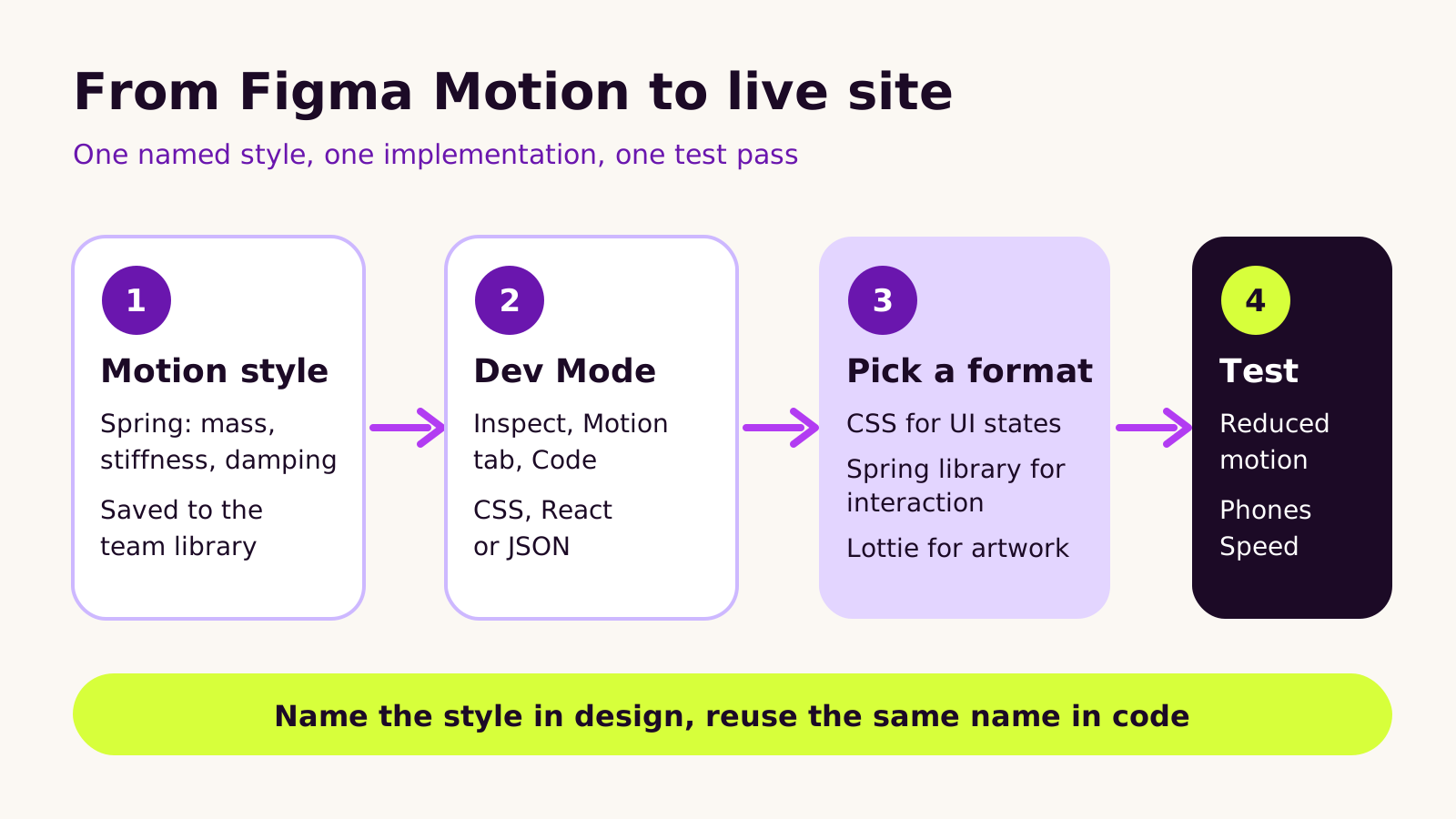
The approach is simple. Save each animation as a named motion style in the team library. Inspect it in Dev Mode, where the Motion tab offers CSS, React or JSON. Then choose the format per animation: CSS for small interface states, a spring library for interactive moments, and Lottie for illustration. Always build a reduced motion version and test on real phones.
Before your next build, ask your designer and developer to agree one shared list of motion styles, and check every animation against it before launch.
If your designer has started animating screens in Figma, and you're about to hand those designs to a developer or agency, this Figma Motion handoff guide is for you. You'll learn what changed in Figma Motion in November 2026, how motion specs actually turn into website code, which format to use for each kind of animation, and how to catch the problems that make a site feel sluggish or jumpy after launch.
The short version: name every animation as a reusable style, decide the implementation format per animation rather than for the whole site, and treat reduced motion as part of the design, not an afterthought.
Why animation gets lost between design and build
Clients often describe the problem the same way: "The prototype felt smooth and premium. The live site feels cheap." Usually nothing is broken. The developer simply rebuilt each animation by eye, guessing at timing and easing from a screen recording or a comment like "make it bouncy".
That guesswork used to be unavoidable, because design tools described motion loosely. Figma's own animation work changed this over 2026. Figma Motion gives designers a timeline on the canvas, and in September 2026 it gained custom animation styles and Lottie export. Then, in November 2026, Figma shipped three updates that matter for anyone building websites:
- Physics-based springs (released around 10 November 2026): a spring is defined by mass, stiffness and damping, and its duration adjusts to match, rather than being typed in by hand.
- Style and Lottie export previews: designers can see preset styles in action and check how an animation will play as a Lottie file before exporting it.
- 3D transforms (12 November 2026, open beta for Full seats): objects can rotate on the x, y and z axes with on-canvas handles, and pair with Motion for flips and turns. The plugin API gained matching beta support, and a later update let plugins create and apply reusable Motion styles.
These are good additions. They also widen the gap a developer has to cross, because a browser doesn't share Figma's physics engine. Figma Motion is still in open beta, so expect details to keep moving.
How motion specs become code
It helps to understand what a developer actually receives. In Dev Mode, selecting an animated layer and opening the Motion tab in the Inspect panel, then choosing Code, offers the animation as CSS, React or JSON. Figma's MCP server can pass the same details (keyframes, motion type, timing and easing curves) to an AI coding tool. Figma lists Motion handoff on paid plans with a Full or Dev seat.
What arrives is a description of an animation, not a finished component. Three things decide how faithfully it survives:
Easing curves translate cleanly
A duration plus a cubic Bézier curve maps directly to CSS transition or animation. If your designer uses curve-based easing, the CSS output is usually close to production-ready.
Springs need a decision
CSS has no spring type. A spring with mass, stiffness and damping can be approximated with the CSS linear() easing function, which plots many points along the curve, but it's a fixed snapshot: it can't respond to a gesture that's interrupted halfway. For true spring behavior, developers use a JavaScript animation library that accepts the same three values. The Motion library for React (formerly Framer Motion, not to be confused with Figma Motion) is the one we reach for most.
3D needs a stage
A 3D rotation only looks right in the browser when the parent sets a perspective and the element keeps transform-style: preserve-3d. Figma's plugin API now has a shared perspective scene for this reason. Without it, a flip looks like a flat squash.
Setting up a Figma Motion handoff your developer can follow
Here's the process we use on design-led builds.
-
1
Turn repeated animations into named styles. In Figma Motion, save each recurring movement (card entrance, menu open, button press) as a custom style with its easing, duration or spring values, and publish it to the team library. Names like
enter-softorpress-quickbecome the shared vocabulary. - 2 Annotate the trigger. The style says how something moves, not when. Note whether it runs on load, on scroll into view, on hover, on tap or on drag. Hover doesn't exist on phones, so every hover animation needs a touch equivalent or none.
- 3 Design the reduced motion state. For each style, decide what happens when a visitor has asked their device for less motion: usually a short fade in place of movement, never nothing at all if the content depends on it appearing.
- 4 Pick the format per animation, using the comparison below.
-
5
Mirror the style names in code, so a designer can say "swap
enter-softforenter-firm" and the developer changes one value.
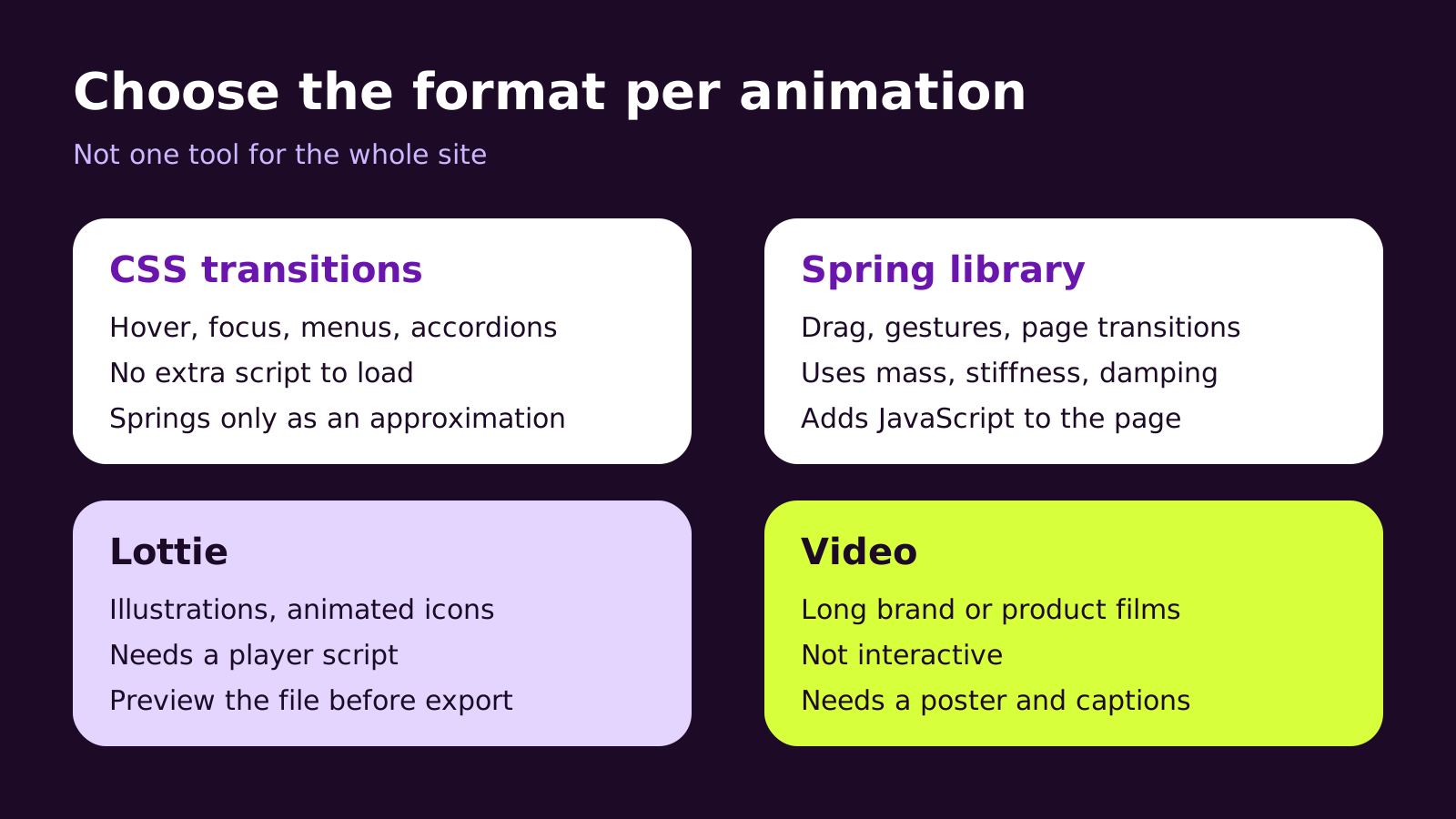
| Format | Good for | Watch out for |
|---|---|---|
| CSS transitions and keyframes | Hover and focus states, menus, accordions, simple entrances | Springs are only approximated |
| Spring library (React) | Drag, gestures, interruptible and shared-layout transitions | Extra JavaScript on every page that uses it |
| Lottie or dotLottie | Illustrations, animated icons, explainer loops | Needs a player script; complex files can be heavy |
| Video | Long brand or product films | Not interactive; needs a poster image and captions |
A copy-ready spring component
This React component applies a spring style taken from Figma Motion and swaps to a plain fade for visitors who prefer reduced motion. It uses the motion package (version 12) and works in a Next.js App Router project; put it in your components folder and replace the three spring values with the ones shown in Dev Mode.
"use client";
import { motion, useReducedMotion } from "motion/react";

// Matches the Figma Motion style "enter-soft"
const enterSoft = { type: "spring", mass: 1, stiffness: 220, damping: 26 };

export function RevealCard({ children }) {
  const reduce = useReducedMotion();

  return (
    <motion.div
      initial={reduce ? { opacity: 0 } : { opacity: 0, y: 24 }}
      whileInView={{ opacity: 1, y: 0 }}
      viewport={{ once: true }}
      transition={reduce ? { duration: 0.2 } : enterSoft}
    >
      {children}
    </motion.div>
  );
}
For a 3D card flip that doesn't need physics, plain CSS is lighter. The parent sets perspective, the inner element uses transform-style: preserve-3d and rotates with rotateY(180deg), each face sets backface-visibility: hidden, and a @media (prefers-reduced-motion: reduce) rule removes the transition.
What we've learned building animated sites
We usually recommend fewer, more consistent animations over many one-offs. A site with a handful of well-tuned styles reused everywhere feels more polished than one with a different flourish in every section, and it's easier to maintain.
We'd reach for Lottie when the animation is genuinely illustrative and would be painful to rebuild in code. We wouldn't use it for buttons, menus or text, where CSS is lighter and easier to make accessible. And while 3D transforms are fun in a launch film, on a working page we keep them to small moments, such as a card flip, because they compete with content for attention.
One trade-off to discuss early: a spring library gives the most faithful result, but it adds JavaScript. On a content-heavy marketing site we often use CSS for most styles and load the library only on the pages with interactive sections.
Troubleshooting
-
Symptom: the live spring feels slower or floatier than the prototype. Likely cause: the developer converted the spring to a fixed duration and generic ease. Fix: use the original mass, stiffness and damping in a spring library, or generate a
linear()curve from those exact values. -
Symptom: a 3D flip looks flat or the back face shows through. Likely cause: missing
perspectiveon the parent or missingbackface-visibility: hiddenon each face. Fix: add both, and keeppreserve-3don the rotating element. - Symptom: the Lottie animation looks different from the Figma version, or loses effects. Likely cause: the design uses features the Lottie format doesn't support. Fix: check the new Lottie export preview before exporting, and simplify or rebuild the unsupported parts.
- Symptom: content jumps as it animates in, and layout shift shows up in your performance reports. Likely cause: the animation changes size or position properties, or content is inserted without reserved space. Fix: animate transform and opacity only, and reserve the element's space in the layout.
- Symptom: a section stays invisible for some visitors. Likely cause: the reduced motion path removes the animation but leaves the starting opacity at zero. Fix: make sure every reduced motion variant still ends fully visible, as in the component above.
Questions people ask
Can a developer just copy the CSS from Dev Mode?
For curve-based easing on simple elements, often yes, with small clean-ups. For springs, gestures or anything that can be interrupted, the output is a starting point. A developer still has to wire triggers, reduced motion and performance.
Do we need a Dev seat for our agency?
Figma lists Motion handoff in Dev Mode for paid plans with a Full or Dev seat, so whoever builds the site needs one of those on your team or theirs. Agree who pays for the seat in your project brief.
Is animation bad for accessibility?
Not by itself. Problems come from large movement, parallax or flashing that visitors can't turn off. Respecting the reduced motion setting covers much of this; for your specific obligations, check with a qualified accessibility adviser.
Why good motion handoff matters for your business
Animation is part of your brand, the same as typography and color. When it's specified loosely, you pay twice: once for the design and again for rounds of "it doesn't feel right" after launch. A clear motion system, named styles, agreed formats and a reduced motion version for each, keeps the build on budget and the site consistent as new pages are added.
It also connects to the rest of your handoff. If you're already using Figma for code review, our guide to Figma code layers and GitHub handoff covers who owns what, and a clear website brief for your agency is the right place to list your motion styles and seat arrangements. Our UI and web design service designs motion systems alongside the brand, and our React development team builds them to match.
Before your next build: save repeated animations as named Figma Motion styles, note each trigger, design the reduced motion state, choose a format per animation, mirror the style names in code, and test on real phones before launch.
If you'd like help planning or building animation for your next site, tell us about your project.
(over to you)
Planning a build like this?
Tell us what you're building and we'll come back with ideas and next steps.
Keep reading
All articles React & Next.js
· 7 min read
Next.js security update: applying the November 2026 patches
Read article
 React & Next.js
· 6 min read
React 19.3 in practice: View Transitions, Fragment Refs and more
Read article
 React & Next.js
· 7 min read
Figma to code handoff: code layers, GitHub and your agency
Read article