Webflow site plan changes: what agency-built sites should check
Webflow's new site plans reached sites in Freelancer and Agency Workspaces on November 16, 2026. How to check which plan your site moves to, who pays, and whether to switch billing or transfer the site.
If an agency or freelancer built your Webflow site, the new Webflow site plans probably reach you now. From November 16, 2026, sites held in Freelancer or Agency Workspaces, and sites on legacy pricing, move to the simplified plans at their next renewal or billable change.
The main change is that the old CMS and Business plans became one Premium plan, and Basic is now only for sites with no CMS or ecommerce features.
Start by finding out where your site lives and who pays for it. Then check your current plan, your recent bandwidth use and the features you rely on, and run the site through Webflow's pricing calculator.
Next, choose a billing setup. Your agency can keep paying and re-bill you, you can pay Webflow directly through client payments, or the site can be transferred to your own Workspace.
Watch for surprise bandwidth add-ons, renewals charged to a card nobody reviews, and downgrades that switch off the CMS.
If you want help reviewing your Webflow plan or moving a site into your own account, talk to the team at Crest Design.
If an agency or freelancer built your Webflow site and still holds it in their account, the Webflow site plan changes reach you now. This guide is for business owners and marketing leads who want to know which plan their site moves to, who ends up paying for it, and whether this is the moment to take billing or the whole site into their own Workspace.
What changed in Webflow site plans, and why your renewal looks different
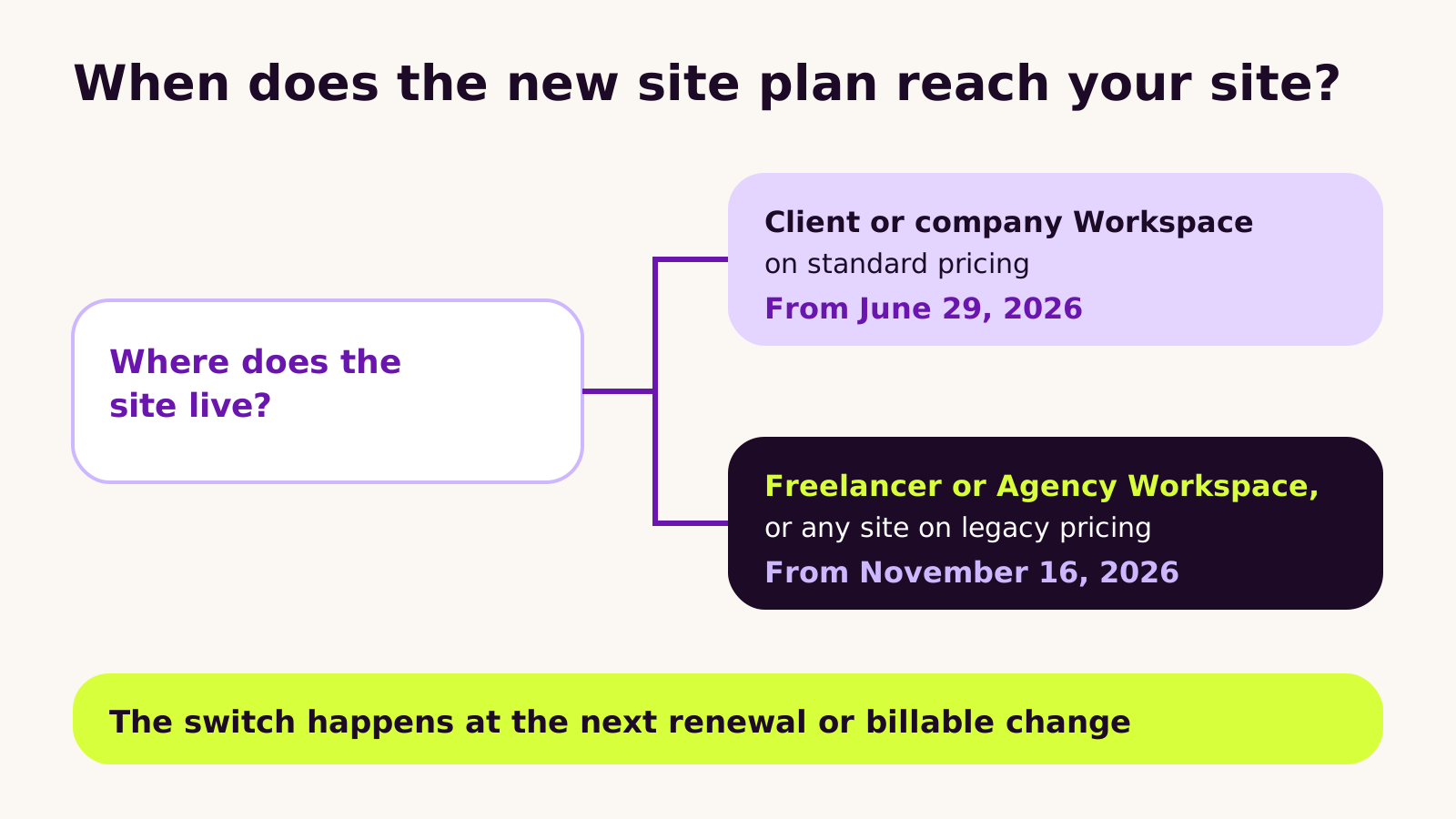
In May 2026 Webflow simplified its site plans. The old CMS and Business plans were merged into a single Premium plan, and Basic is now meant only for sites that don't use CMS or Ecommerce features. New purchases moved to the new plans on May 13, 2026, and most existing sites switched at their next renewal or billable change on or after June 29, 2026.
Two groups were given more time: sites held inside a Freelancer or Agency Workspace, and sites still on legacy pricing. For them, the change applies at the next renewal or billable change on or after November 16, 2026. That's the group most agency-built sites fall into, which is why a lot of site owners are only seeing the new plan names this month.
The client-side problem is usually not the plan itself. It's that nobody on the business side is quite sure who pays Webflow, which plan the site is on, or what happens at renewal.
How Webflow billing actually works for agency-built sites
Webflow bills two things separately, and mixing them up causes most of the confusion.
- Workspace plans pay for people and projects: seats, staging sites and tools for the team that builds. Your agency's Freelancer or Agency Workspace is one of these.
- Site plans pay for one live site: hosting, the custom domain, bandwidth, the CMS and features such as site search and form file uploads.
The November date is about the site plan attached to each client site in an agency's Workspace, not the agency's own Workspace subscription. A site keeps its current plan until the next renewal or a billable change, such as an upgrade, a downgrade or adding an add-on. At that point it moves to the matching new plan.
A former CMS or Business site lands on Premium. Former Business sites also get a smaller bandwidth allowance on Premium than they had before, and Webflow says it adds bandwidth add-ons automatically if recent usage was above the new allowance. That's the line item that tends to surprise people.
How to check your Webflow site plan before the next renewal
Set aside half an hour with whoever has access to the Webflow account. If that's only your agency, ask them to walk through it with you on a call.
- 1 Find where the site lives. Open the site's Site settings > Billing. It shows the current plan, the renewal date and which Workspace owns the site.
- 2 Confirm who pays. The card on file might be your agency's, yours through client payments, or a card from years ago that nobody remembers.
- 3 List the features you use. CMS collections, site search, form file uploads, code components, Localization and Ecommerce all affect which plan you need.
- 4 Check recent bandwidth. Look at the site's usage for the last two billing periods, especially if it was on the old Business plan.
- 5 Run the pricing calculator. Webflow's pricing change calculator shows the new price for a specific site. If you're on legacy pricing, it notes that your current price may differ from what it shows, but the new price will be correct.
- 6 Write down the renewal date and decide on any change before then, so the switch happens on your terms.
Choosing who pays: three billing setups compared
The new plans are a natural point to decide how billing should work from now on. Webflow supports three setups.
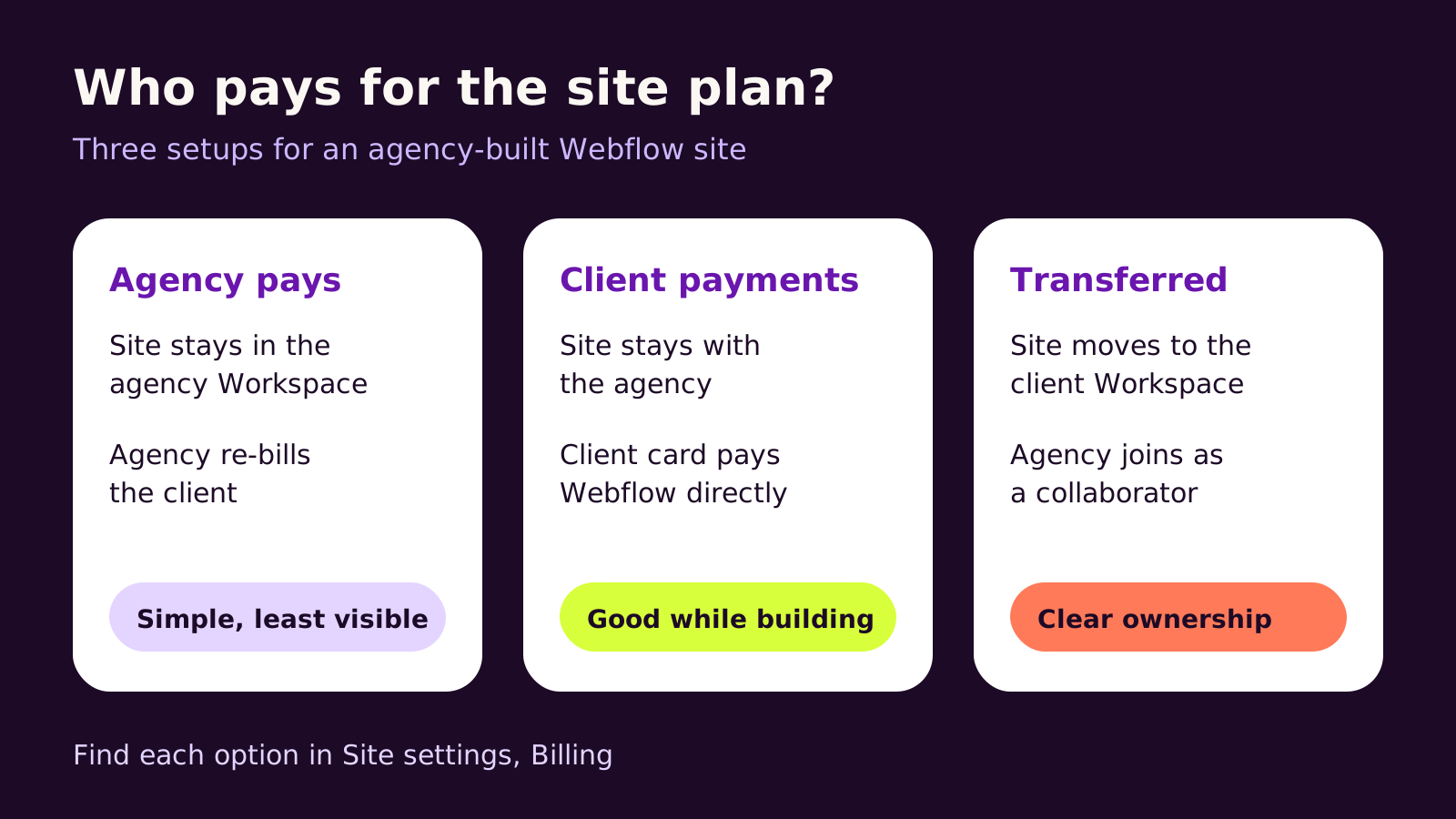
| Setup | Where the site lives | Who pays Webflow | Works well when |
|---|---|---|---|
| Agency pays | Agency Workspace | Agency, then re-bills you | You have an ongoing care plan and want one invoice |
| Client payments | Agency Workspace | You, directly, by card | The site is still being built or actively managed |
| Transfer | Your own Workspace | You, directly | The build is finished and you want full control |
Client payments lets your agency invite you to pay for the site plan and add-ons while the site stays in their Workspace. If you start paying partway through a billing cycle, the agency gets a pro-rated credit for the unused time, so nobody pays twice.
A transfer moves the site into your own Workspace. Your agency starts it from Site settings > Billing > Transfer site and sends a transfer request, which you accept. Sites on a paid plan can be transferred whether or not they're on client payments. Afterward, you invite the agency back in as a collaborator if they still work on the site.
One open question: Webflow's notice doesn't spell out whether a site's November timeline follows it to a new Workspace. If the timing of the price change matters to you, ask Webflow support before transferring rather than assuming.
What we've learned helping clients through plan changes
We usually recommend client payments while a project is in build or under an active care plan, then a transfer once the site is stable and handed over. It keeps billing visible to you without slowing the agency down. We wouldn't rush a transfer in the middle of a redesign, because moving Workspaces mid-project adds access changes nobody needs that week.
The common mistakes are simple ones: downgrading to Basic to save money without noticing the site uses the CMS, letting a renewal run on an agency card nobody reviews, and treating the plan change as the agency's problem when the site is your business asset. For a wider view of what to keep in your name, see our guide to website ownership when you hire an agency.
Troubleshooting
- Symptom: a bandwidth add-on appears on the invoice. Likely cause: the site was on the old Business plan and recent usage was above the Premium allowance. Fix: review heavy assets such as large videos and uncompressed images, then decide whether the add-on is still needed at the next renewal.
- Symptom: CMS content stops working after a plan change. Likely cause: the site was moved to Basic, which isn't meant for CMS sites. Fix: move the site back to Premium from its billing settings, then republish.
- Symptom: the transfer request never arrives. Likely cause: it went to an email address that isn't a member of the target Workspace, or the target is an Enterprise Workspace. Fix: confirm the exact Workspace and email with your agency and send the request again.
- Symptom: you can't see billing at all. Likely cause: you're a collaborator on the agency's Workspace, not an owner. Fix: ask the agency to set up client payments or a transfer so billing sits with you.
Questions people ask
Do I have to do anything before November 16, 2026?
No action is required; the change applies automatically at your next renewal or billable change on or after that date. It's still worth checking the plan and bandwidth first so the new invoice isn't a surprise.
Will my site go offline when the plan changes?
The plan switch itself doesn't take a site down. Problems come from moving to a plan that doesn't include a feature you use, such as the CMS, so check features before any downgrade.
Should I take my Webflow site out of my agency's Workspace?
If the build is finished and you want direct control of billing and access, a transfer makes sense. If the agency is still actively building or managing it, client payments gives you billing visibility without moving the site.
Why this matters for your business
Your website plan is a running cost and a dependency for every page your team publishes. Knowing which plan you're on, who pays and who can change it is part of owning the site properly, not paperwork. If you're still weighing platforms, our comparison of Webflow vs WordPress for a B2B website covers how hosting and plans differ. Teams running several markets should also read our guide to Webflow Localization for multi-market sites, because Localization is a separate add-on to budget for alongside the site plan.
Quick checklist: find where the site lives, confirm who pays, list the features you use, check bandwidth, run the calculator, and choose agency billing, client payments or a transfer before the next renewal.
If you'd like a second pair of eyes on your plan or help moving a site into your own account, our Webflow development team is happy to talk it through.
(over to you)
Planning a build like this?
Tell us what you're building and we'll come back with ideas and next steps.